Inspect before import
Choose a vCard, quoted CSV, or Cardmoire backup. Review readable records, warnings, and existing matches before selecting copies.
 Cardmoire

Private contact-file workspace for iPhone and iPad
Inspect user-selected vCard and CSV files, review exact duplicate evidence, merge reversible local copies, and export portable backups without giving the app access to Apple Contacts.
A deliberate boundary
Cardmoire never requests Contacts permission. You decide which files enter the vault, which candidate copies belong together, and which exports leave it.
Choose a vCard, quoted CSV, or Cardmoire backup. Review readable records, warnings, and existing matches before selecting copies.
Duplicate groups are built from exact normalized phone, email, or name and organization matches. No opaque automatic merge.
Pick the survivor, inspect the proposed union, keep uncertain copies separate, and undo recent vault-changing operations.
Create vCard, CSV, or Cardmoire JSON files with contact count, byte count, and SHA-256 checksum shown before sharing.
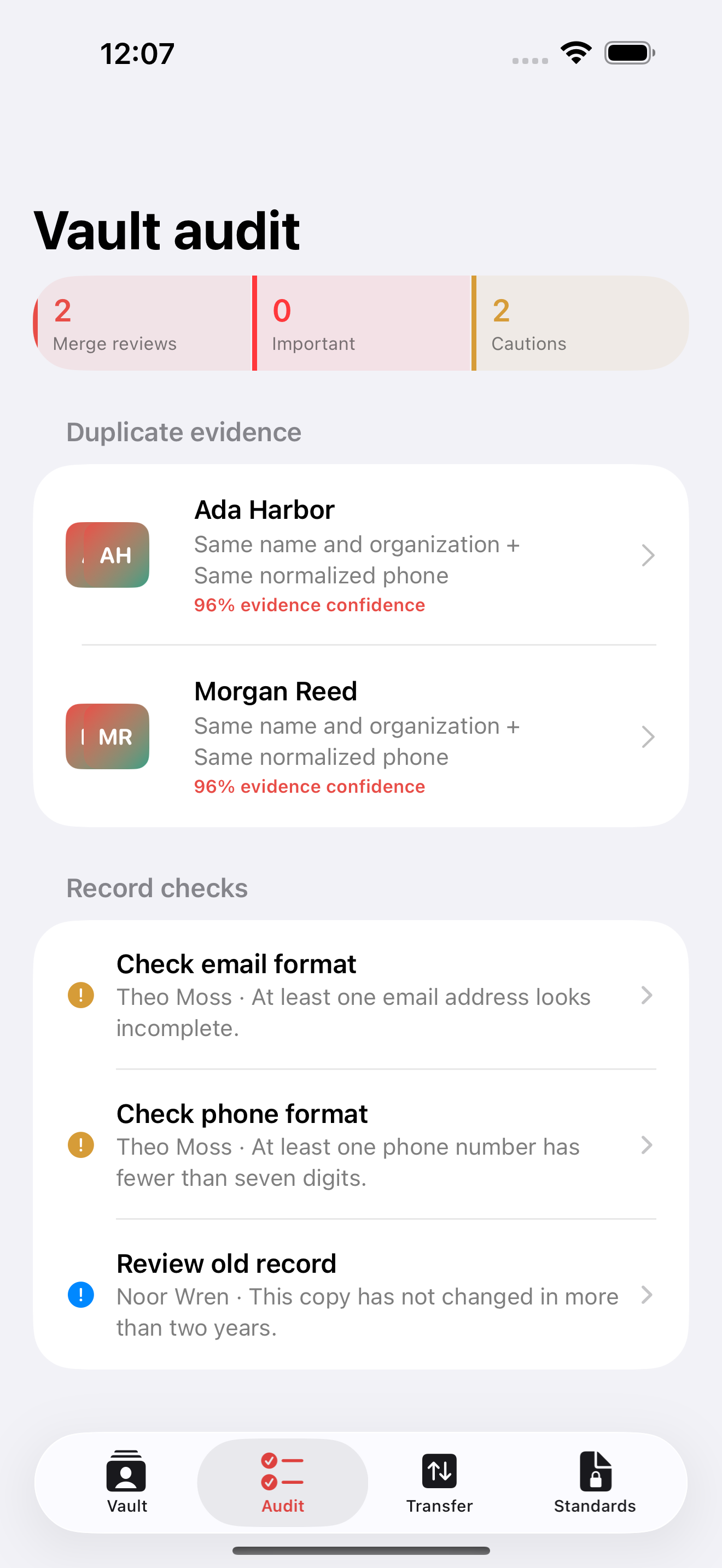
Field-ready review
Audit incomplete records, malformed reach data, and stale copies. Search names, companies, phones, emails, notes, and tags. Every created, imported, edited, archived, restored, and merged event stays with its local copy.
Private by design
Vault records stay in Cardmoire's app container. Only files you explicitly select or share cross the app boundary. There is no advertising, analytics SDK, subscription, or external purchase.
Read the full privacy policy